

Road Trip Planner LITE
Read our comprehensive review of Road Trip Planner LITE to discover how this Mac tool helps you map routes, schedule stops, and build custom travel itineraries.
Planning a journey requires precision, and the Road Trip Planner LITE itinerary maker offers Mac users a hands-on preview of a robust mapping tool. Developed by Kyle Modesitt, this application serves as a fully functional test drive of the premium version, allowing you to build comprehensive travel routes and organize complex schedules without any upfront cost. The only limitation of this LITE version is that it cannot save files, making it an excellent utility for testing the software's capabilities or viewing existing files shared by others.
Interactive Mapping and Smart Routing
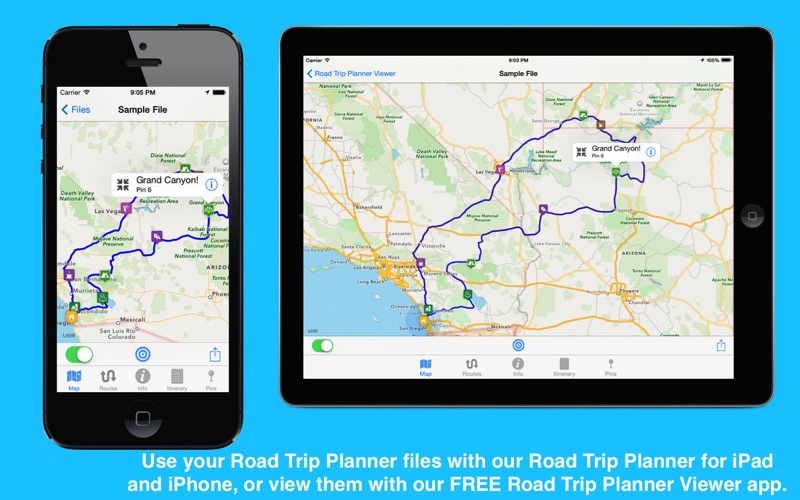
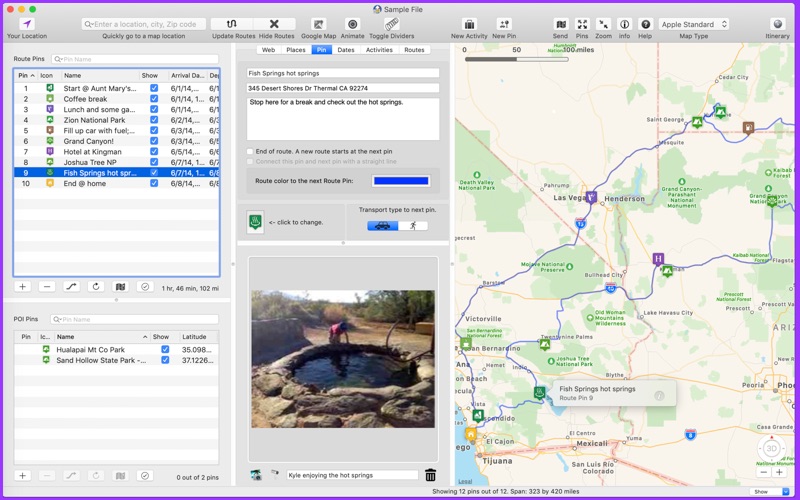
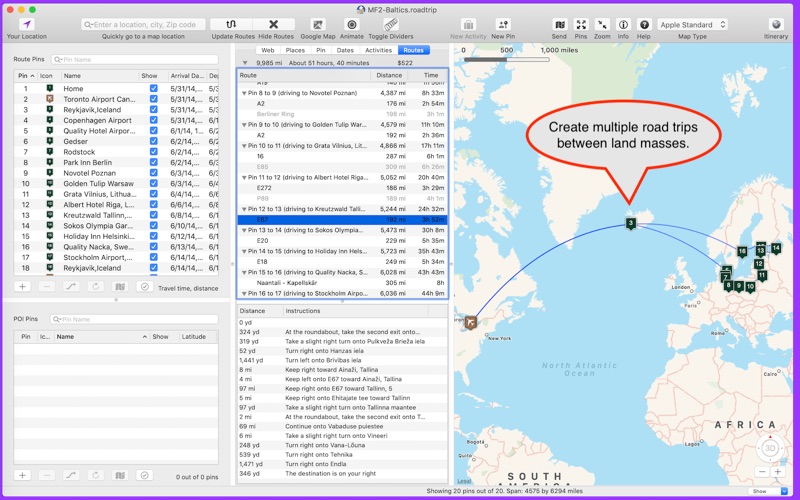
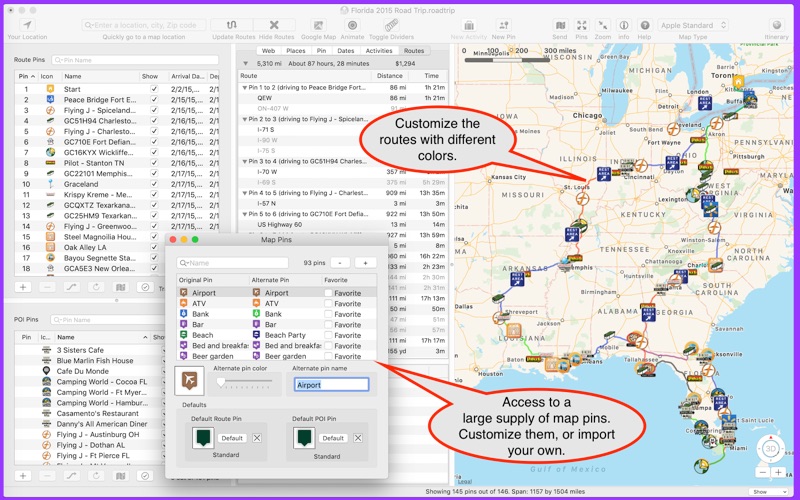
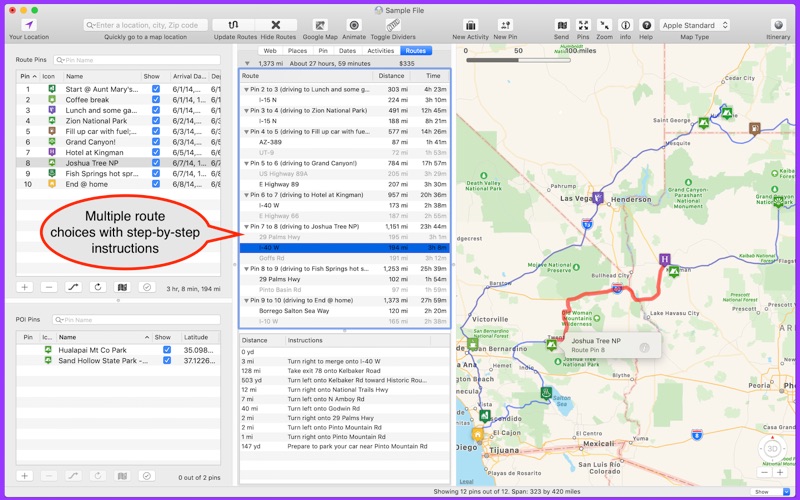
At its core, the Road Trip Planner LITE itinerary maker relies on Apple Maps technology to construct reliable routes. Users can place pins globally to visualize their path, with options to customize travel methods between stops. Key mapping features include:
- Dual Pin System: Use Route Pins to construct your primary path, or place Points of Interest (POI) Pins to flag landmarks, dining, and scenic stops along the way.
- Flexible Transport Options: Toggle between driving and walking paths, or display straight lines for air and rail segments.
- Alternative Routes: Compare different driving paths and customize route colors to keep your map organized.
Detail-Rich Itinerary Management
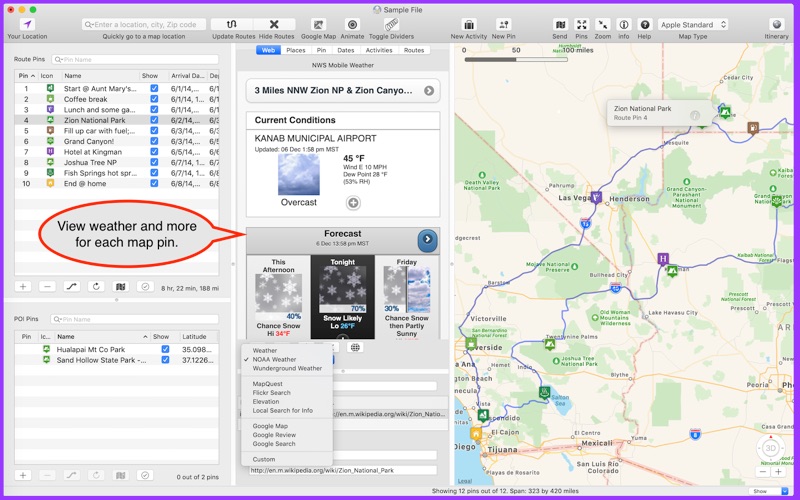
Beyond basic GPS navigation, this application acts as a digital travel binder. Each pin you drop on the map can store a wealth of logistical data. You can manage arrival and departure times, calculate time spent at each location, track fuel costs, and check weather reports from NOAA. Additionally, individual pins can host lists of specific activities—complete with phone numbers, confirmation codes, costs, and notes—ensuring you have all your booking details in one centralized dashboard.
Seamless Exporting and Sharing
While the LITE version prevents you from saving new creations directly to your disk, it remains highly functional for active navigation and coordination. You can export your route pins as GPX files to load into physical GPS devices, or send your routes directly to the native Apple Maps app. For those traveling in groups, this free version is the perfect tool for companions to open and view detailed itinerary files created on other Mac or iOS devices.
Is It Right for Your Next Journey?
If you want to map out complex multi-stop vacations, estimate travel expenses, and organize daily activities on your Mac, this application provides a risk-free environment to design your dream vacation. To experience its powerful mapping and organization features firsthand, you can find the application on the official Mac App Store.