

Panes: Split Screen Browser
Discover Panes: Split Screen Browser, the ultimate macOS tool for multi-panel web browsing. Read our full review of its features and layout options.
The Frustration of Tab Overload on macOS
How many browser tabs do you have open right now? If you are actively researching, monitoring live data, or managing multiple web tools, you know the pain of constantly clicking back and forth between tabs. This fragmented workflow kills focus and slows down productivity. Traditional browsers force us into a single-page view, but modern workflows demand parallel processing. This is where Panes: Split Screen Browser steps in to offer a dedicated, multi-panel workspace designed specifically for macOS users.
What is Panes: Split Screen Browser?
Developed by Natalia Shemetova, Panes: Split Screen Browser is an innovative internet application designed for fast multitasking and focused work. Instead of stacking pages behind one another, this browser allows you to view multiple websites side-by-side in a single window. By organizing your workspace into customizable layouts, you can keep your most important pages visible simultaneously, eliminating the friction of tab switching.
Key Features for Seamless Multitasking
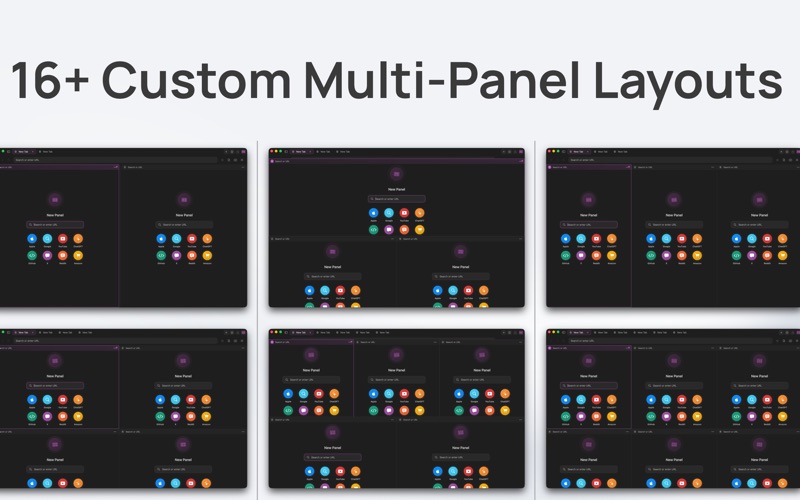
- 16+ Multi-Panel Layouts: Choose from a wide variety of ready-made grid layouts or customize your own to fit your exact screen space.
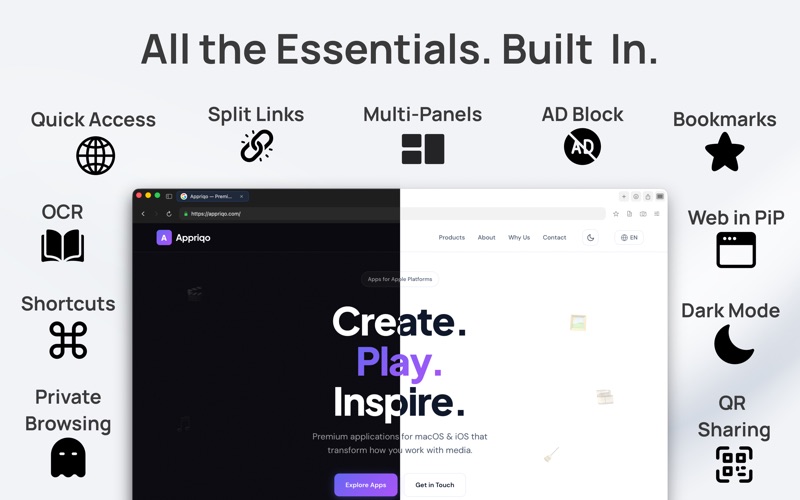
- Instant Split Links: Open links directly in adjacent panels without losing your current context or place on the original page.
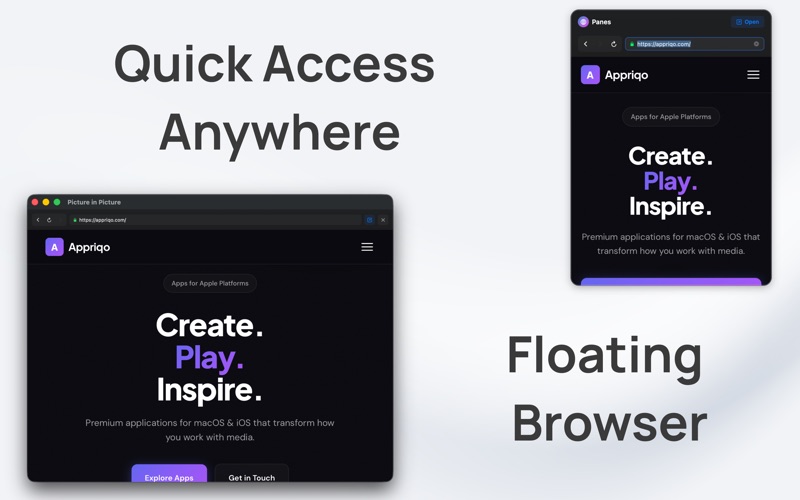
- Floating Browser Mode: Keep your workspace pinned on top of other applications for quick reference while working in other apps.
- Picture-in-Picture Web Video: Watch tutorials or live streams in a floating window while you continue working in your main panels.
- Integrated Productivity Tools: Benefit from a built-in ad blocker for faster load times, an OCR text recognition tool to extract copy from images, and a private browsing mode to protect your session.
Who Benefits Most From Multi-Panel Browsing?
This tailored browsing experience is highly beneficial for several professional and casual use cases:
- Developers & Tech Professionals: Monitor live dashboards on one side while reading API documentation on the other.
- Researchers & Students: Compare multiple sources, articles, or reference materials simultaneously without losing track of your thesis.
- Traders & Analysts: Keep multiple live market feeds, charts, and news sources visible at the same time.
- Content Creators: Manage social feeds, analytics, and content drafts side-by-side.
A Privacy-First macOS Utility
Beyond its productivity capabilities, Panes: Split Screen Browser is built with user privacy as a core tenet. It does not require account creation, does not track your browsing activity, and does not collect your personal data. Combined with its integrated ad blocker, it delivers a clean, secure, and highly efficient browsing environment.
Conclusion
If you are tired of losing focus in a sea of open browser tabs, this application offers an elegant, structured alternative. It transforms your Mac desktop into a powerful multi-window workstation. To experience this productivity boost firsthand, you can find the application available on the official Mac App Store.